


1
Sign In and Open “More”
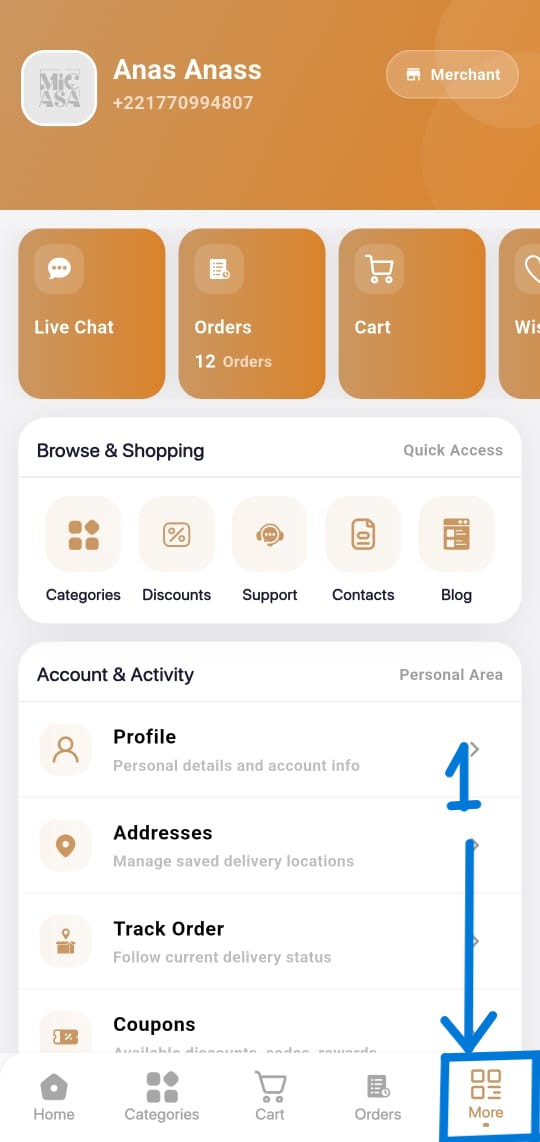
Sign in to your MICASA account. From the main application screen, tap More in the bottom navigation menu.

Use this page to request permanent deletion of your MICASA account and the personal data associated with it.
You can request deletion even if you have uninstalled the application or cannot access your MICASA account.
Send the request from the email address registered with your account and include your full name and registered phone number.
Send Account Deletion RequestMICASA may contact you to verify that you are the owner of the account before completing the deletion request.
Verified account deletion requests are normally completed within 30 days. You will receive confirmation when the process is complete.
You can also delete your account directly from the MICASA mobile application by following these steps.
Sign in to your MICASA account. From the main application screen, tap More in the bottom navigation menu.
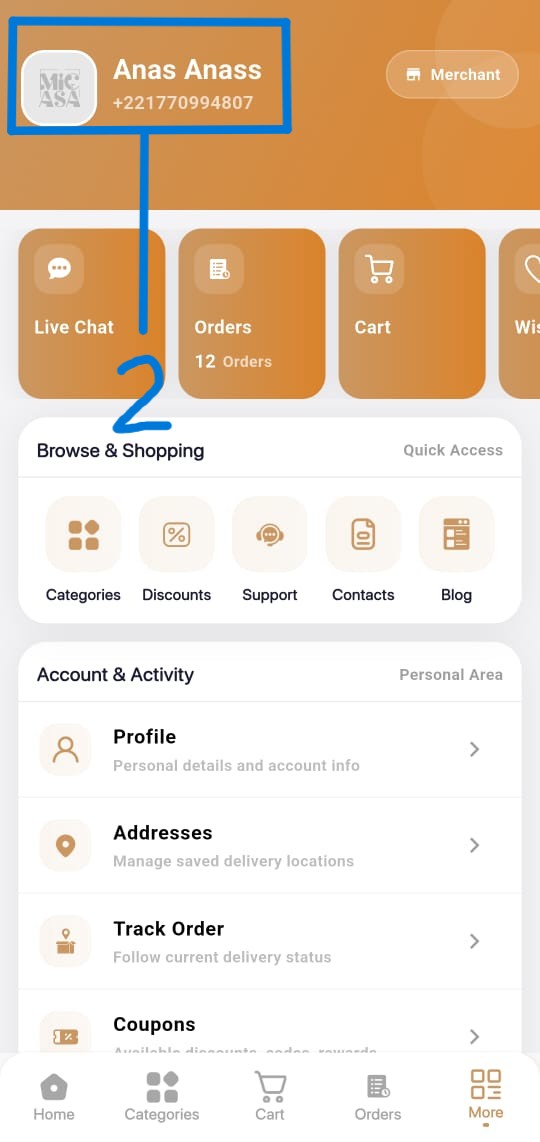
Tap your name and profile card at the top of the page. You may also select Profile from the Account & Activity section.
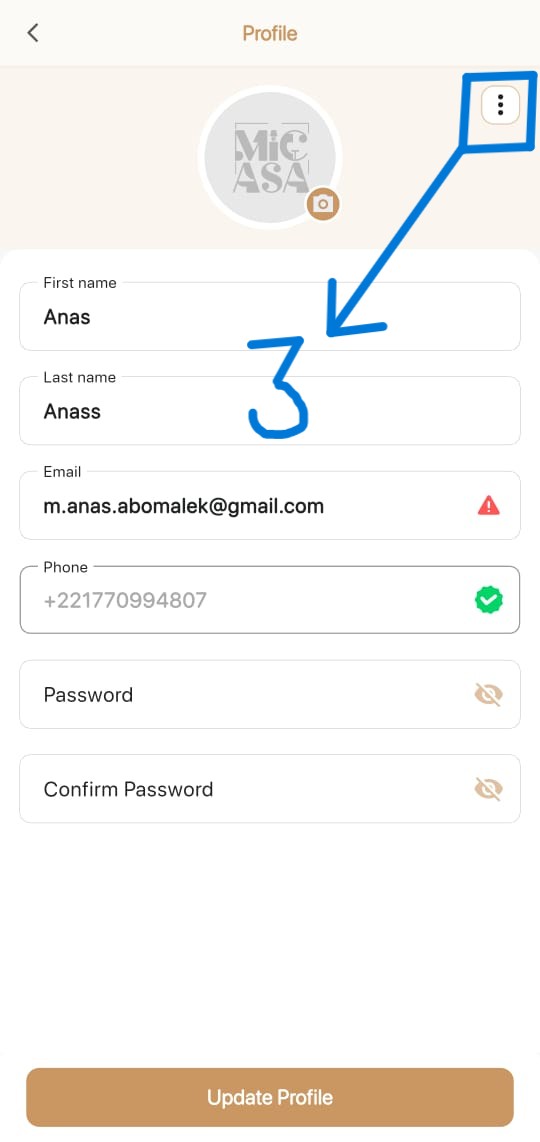
On the Profile page, tap the three-dot menu located in the upper-right corner.
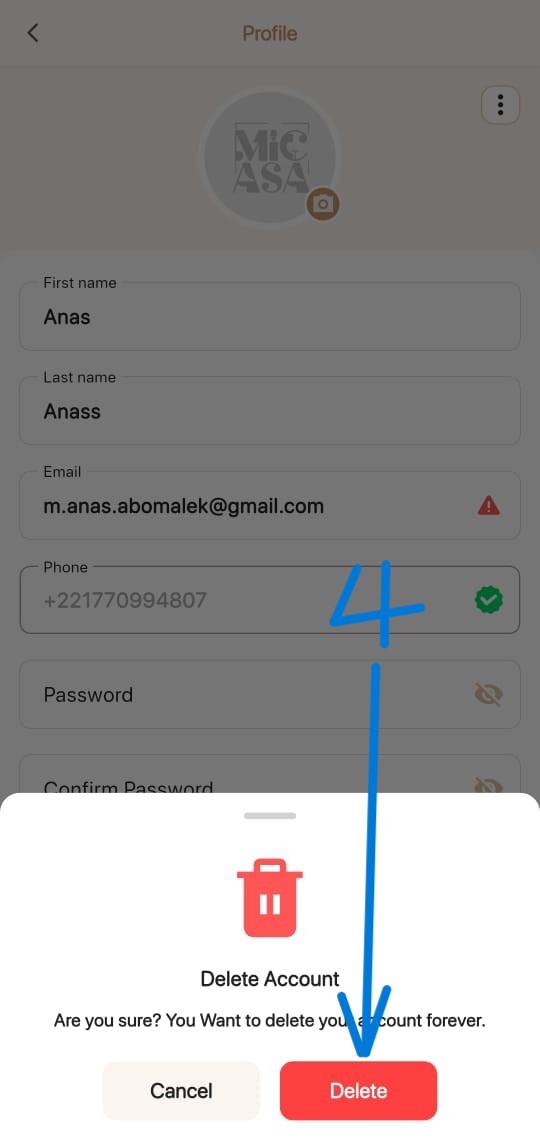
Select Delete Account. When the confirmation window appears, tap the red Delete button to permanently submit your deletion request.
Deleting your account also deletes the personal data associated with your MICASA account, except where limited retention is legally or operationally required.
Send your request from the email address registered with your MICASA account so that we can verify and process it.
Request Permanent Account Deletion
